Frosted Glass Panel 072: Turn a Photo Into a Frosted-Glass Poster on Genvizu
A new Genvizu canvas Skill turns one photo into a frosted-glass abstract poster: geometric colour fields, layered matte-glass blur, bright colour, minimal type.
 Genvizu Team5 min read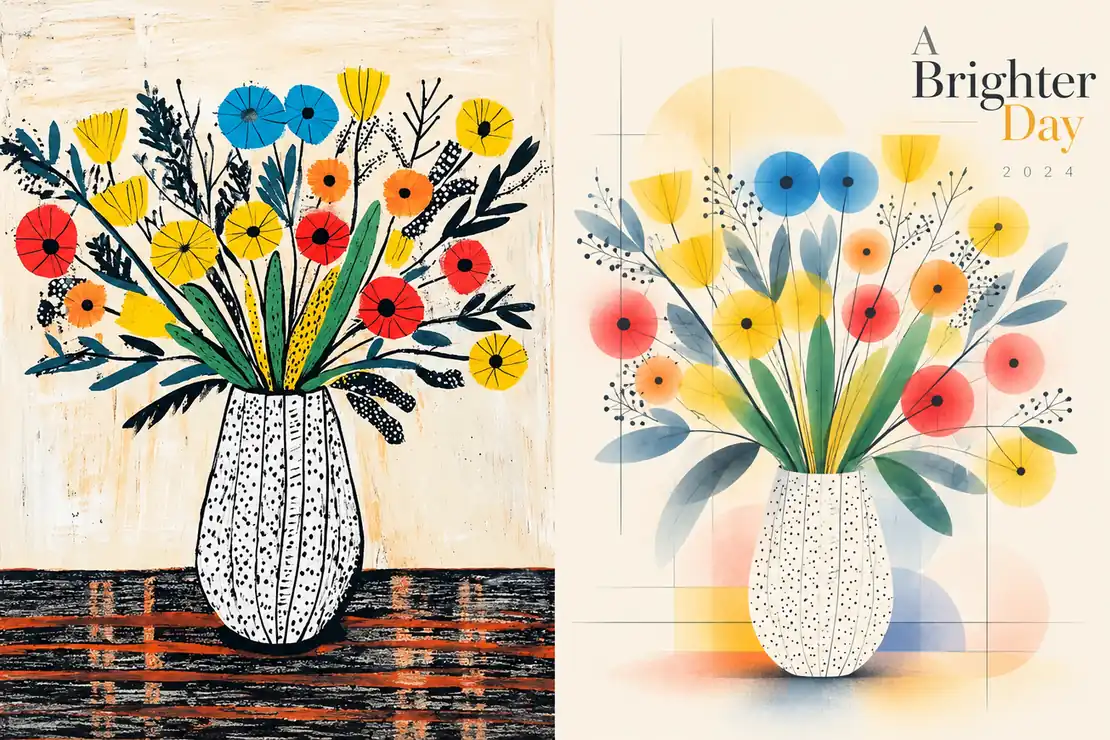
Frosted Glass Panel 072 is a new design Skill on the Genvizu infinite canvas. Give it one photo and it returns a gallery-style poster: the subject distilled into simple geometry, flat colour fields and fine lines, set behind layers of frosted glass that blur some regions more than others, floating in generous ivory whitespace. The palette is lifted from your photo and pushed brighter and cleaner, and a line or two of restrained English type finishes the layout. You can show the original photo beside the design, or ask for the design alone. There's no prompt to write — pick a layout and generate.
Sample: a Genvizu gallery piece run through this Skill's prompt, left-right layout, model-written English.
What makes the look hard to prompt by hand
Photo-plus-abstraction posters are a familiar format, but this particular style depends on several rules holding at the same time, and a one-line prompt tends to lose at least one of them.
- The subject must stay recognisable. This isn't a realistic illustration. The design keeps only the most identifiable outline, structure and pose, so a viewer can tell at a glance that it comes from the same picture.
- The blur is zoned, not uniform. The design reads like a system of translucent matte-glass windows. The inside of the subject, its edges and the supporting shapes each get a different degree of softness, so a crisp silhouette sits next to hazy air. An evenly blurred image is exactly what the style avoids.
- The colour starts in the photo and gets cleaner. The Skill keeps each hue's identity, then brightens, purifies and softens it into clear blue, lake cyan, fresh green, bright yellow, coral, peach and pale violet. Muddy greys, Morandi tones, brown filters, neon and candy colours are ruled out.
- The type is sparse. A short English title, a number or a year, set like an exhibition poster or a design studio's editorial system.
The Skill fixes all of that in place and leaves you two decisions: layout and text.
Three layouts
Each layout sets the aspect ratio for you, so you don't need to adjust it separately.
Top-bottom (portrait, 3:4)
The photo fills the top half and the design fills the bottom half, split exactly at the middle. The photo keeps its identity, pose, texture and light with only a light grade. This is the default, and it suits product shots and portraits best.
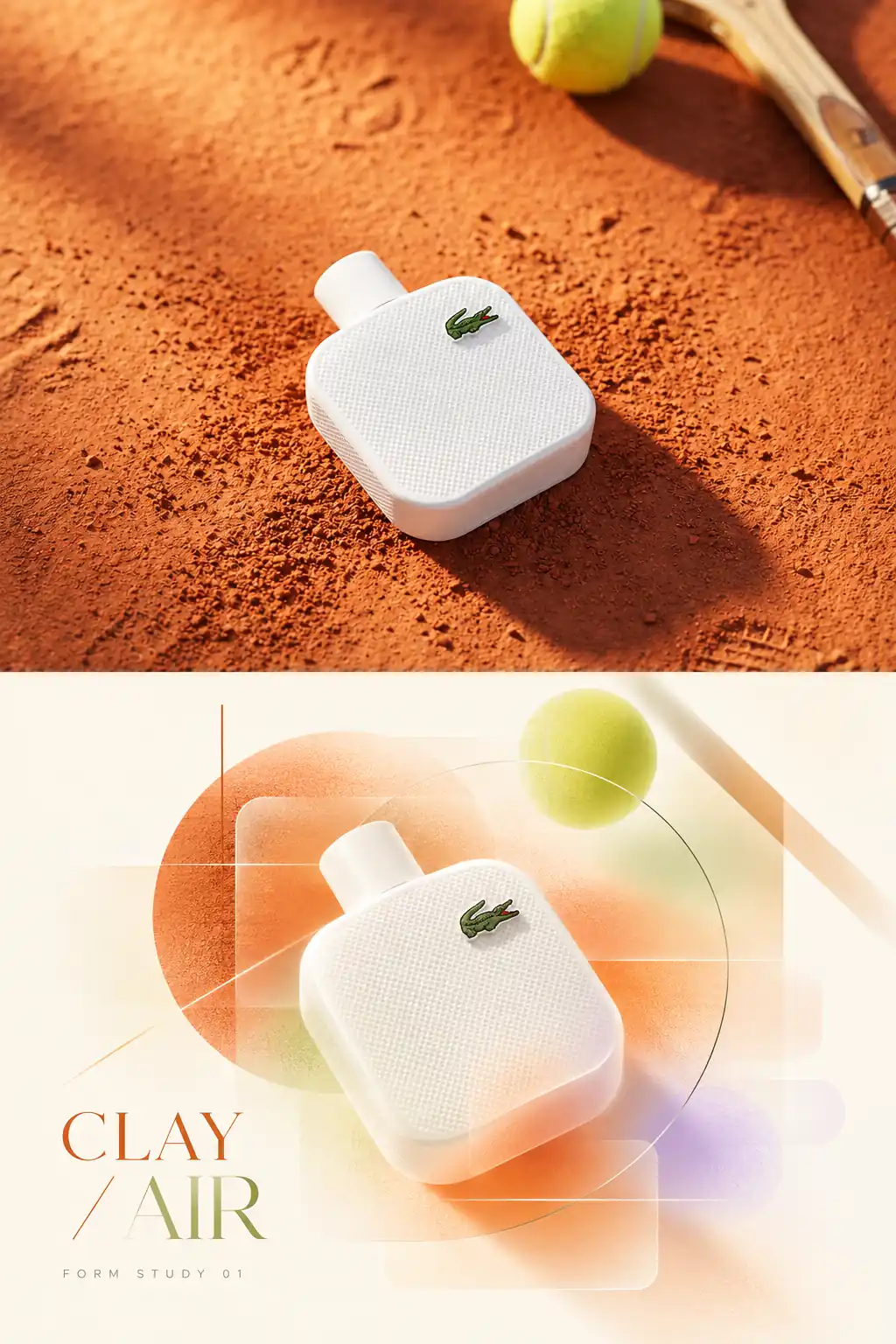
Sample: a Genvizu gallery piece run through this Skill's prompt, top-bottom layout, model-written English.
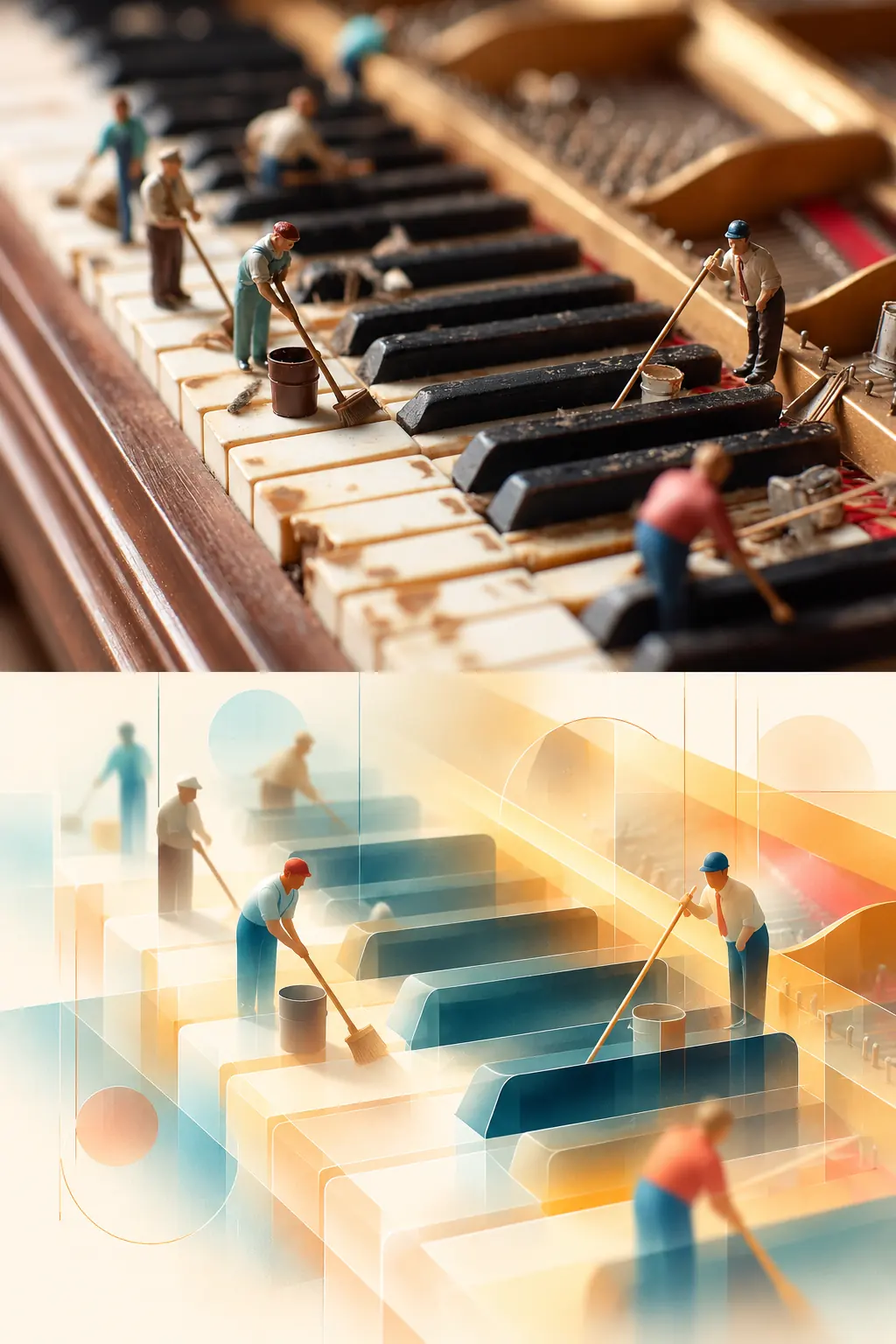
Sample: a Genvizu gallery piece run through this Skill's prompt, top-bottom layout, no text.
Left-right (landscape, 16:9)
The photo takes the left half and the design takes the right half. It's composed as one piece rather than two pictures side by side: shared colour logic, material and line rhythm carry across the centre, and all text stays on the right. Reach for it when you need a cover, a banner or a social header.
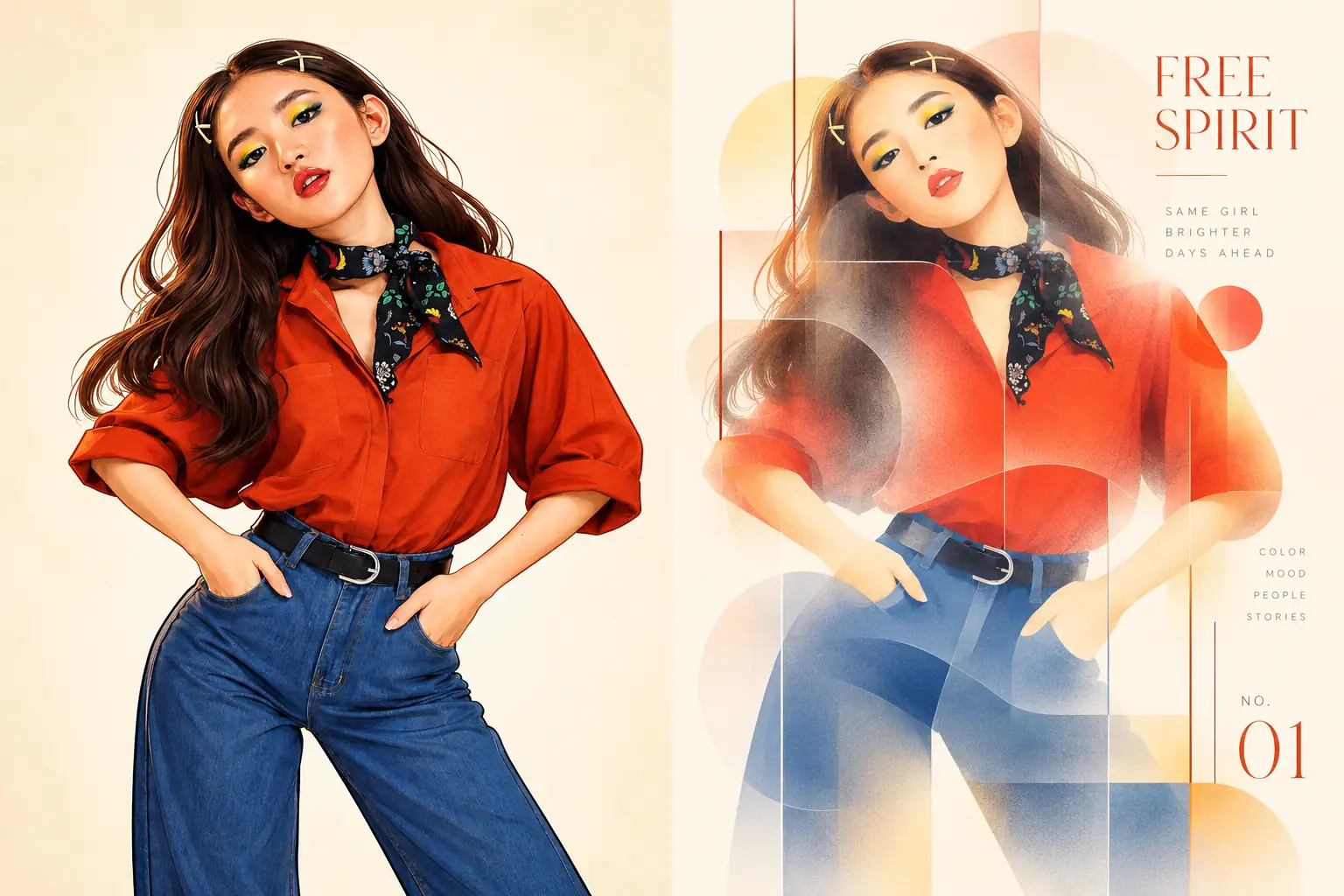
Sample: a Genvizu gallery piece run through this Skill's prompt, left-right layout, model-written English.
Design only (portrait, 3:4)
The whole canvas is the abstract translation, and the original photo never appears. Your picture only supplies the subject's outline, pose and colour logic, and the result floats centred in open, light space. Choose it when you want a standalone poster or wallpaper.
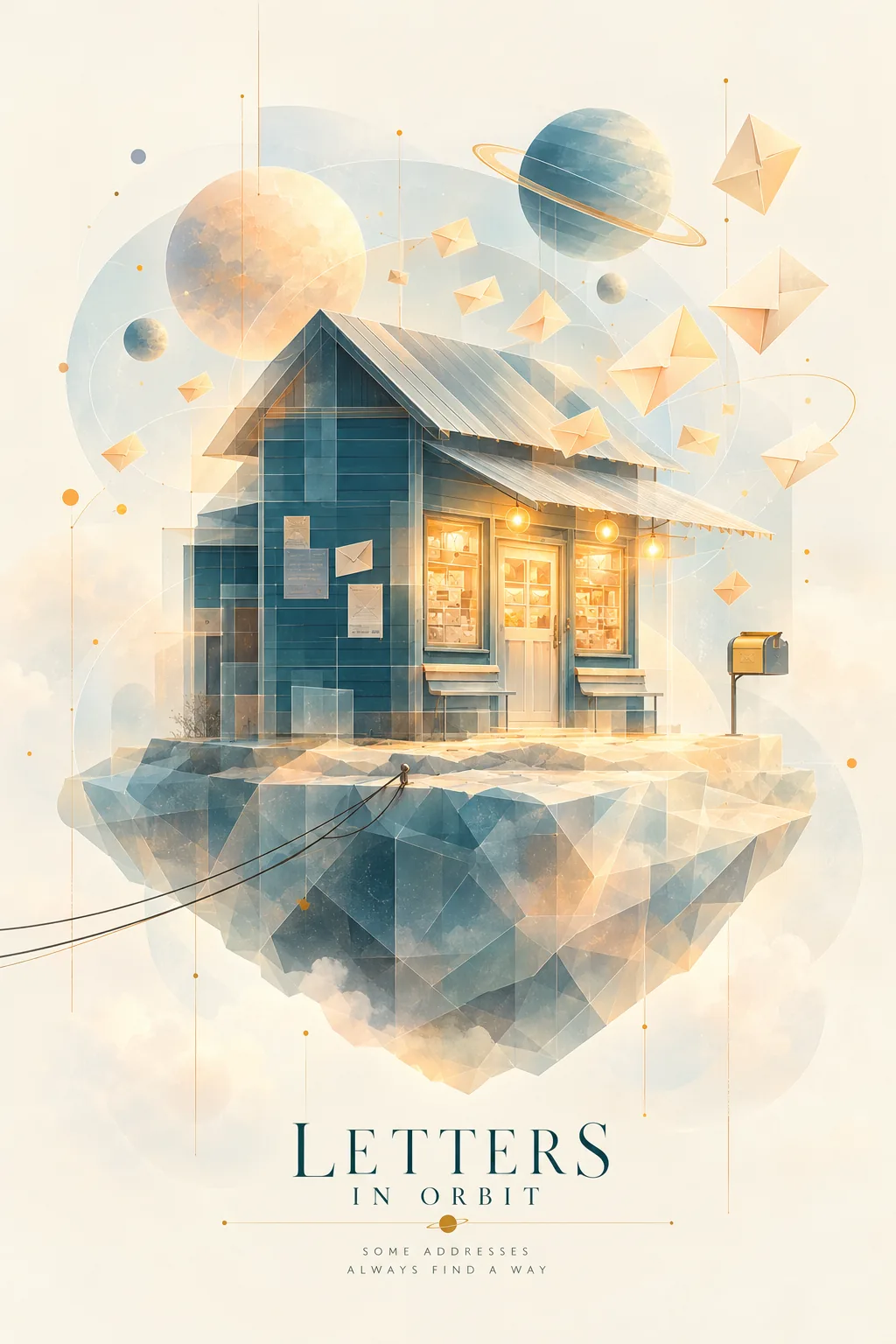
Sample: a Genvizu gallery piece run through this Skill's prompt, design only, model-written English.
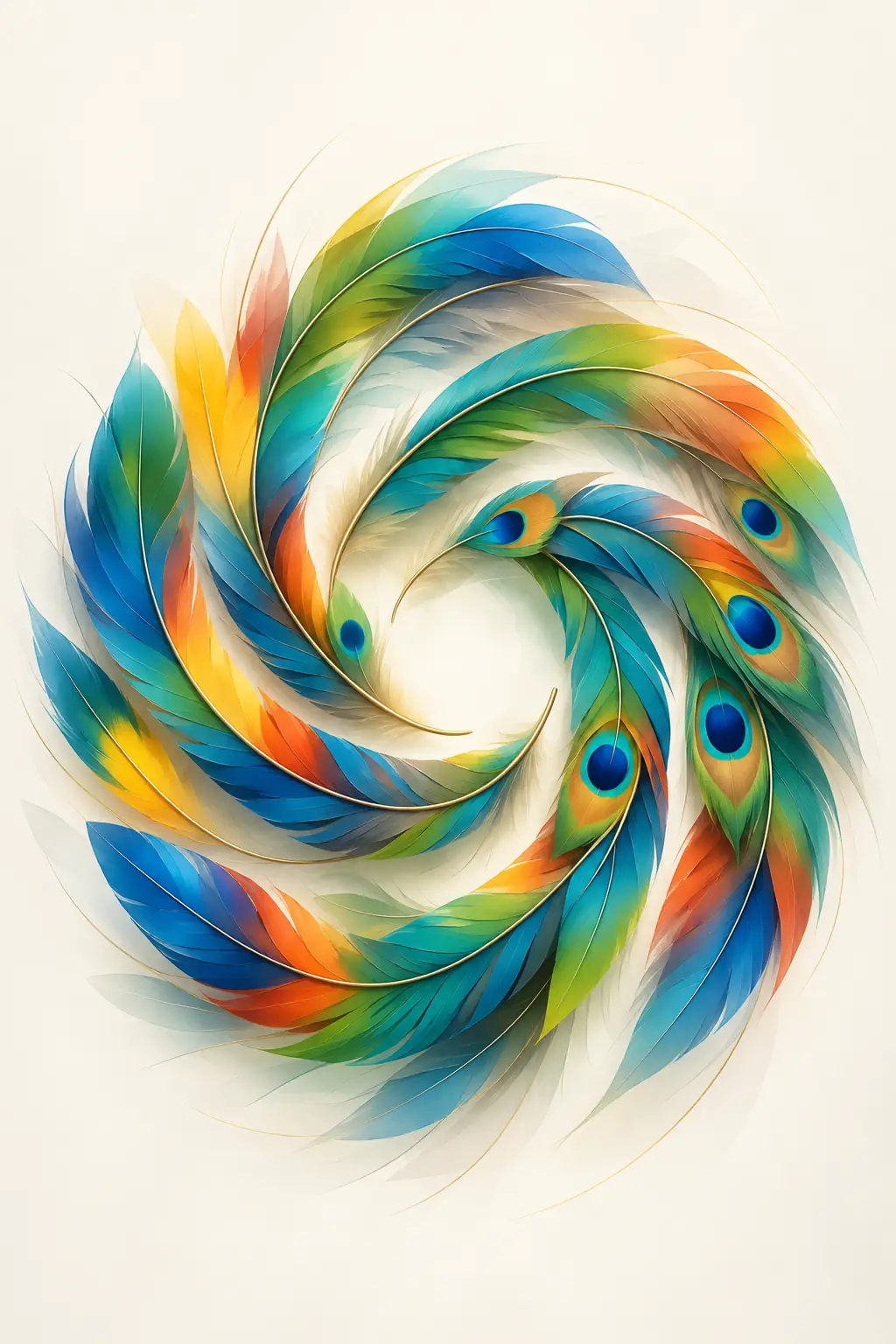
Sample: a Genvizu gallery piece run through this Skill's prompt, design only, no text.
Three text modes
- Model-written English is the default. The model writes a short title, number or year drawn from the image's content and mood, and falls back to poetic phrasing instead of inventing facts.
- My exact text puts your words on the poster verbatim. Type them into the brief box and they're used as written, with no rewriting, translating or correcting. Use it for a brand name, an event or a series title.
- No text keeps every letter, number, label and logo out of the image, which is handy when you plan to add your own typography later.
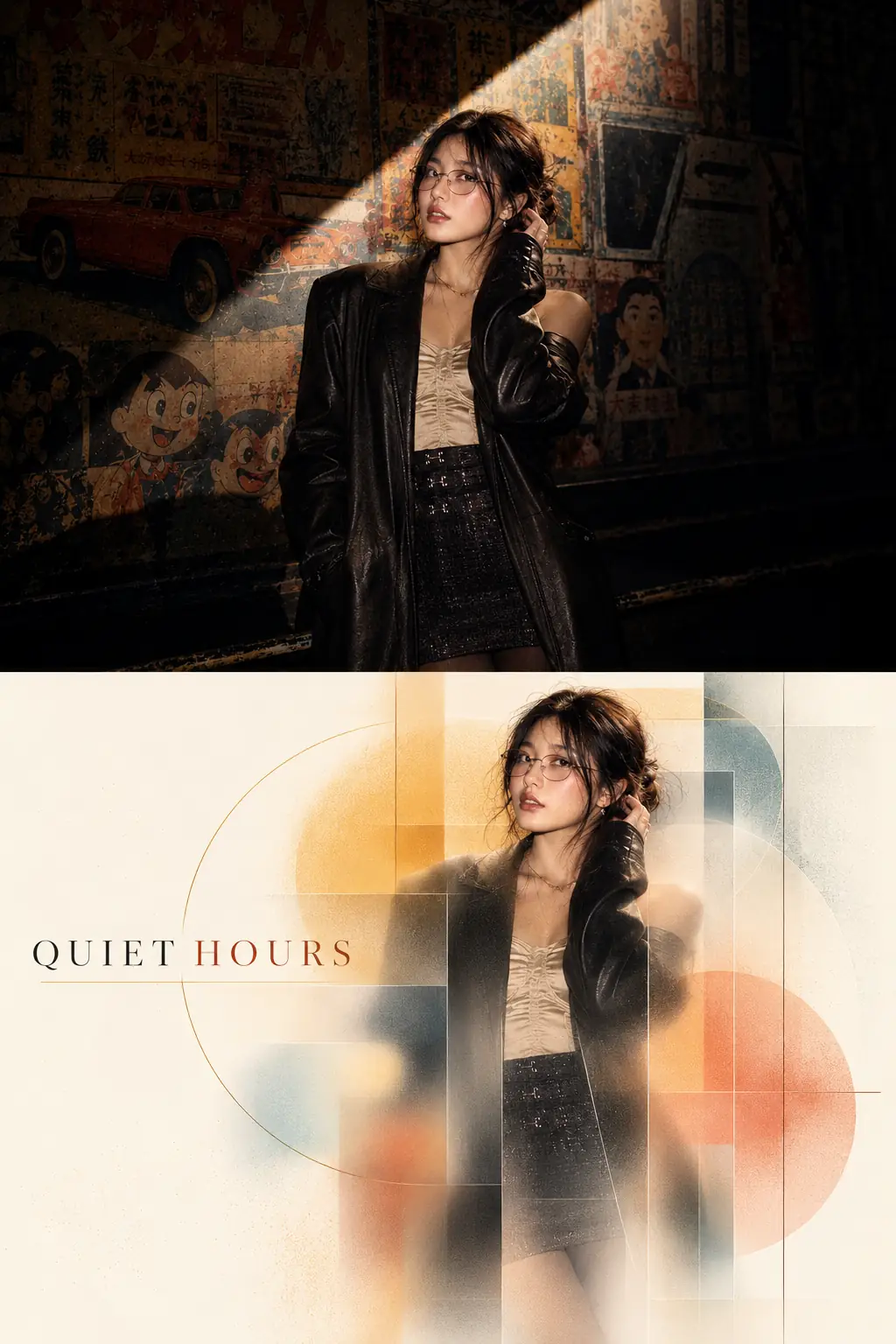
Sample: a Genvizu gallery piece run through this Skill's prompt, top-bottom layout, my exact text "QUIET HOURS".
How to use it
- Open the Genvizu infinite canvas and drop in, or upload, an image;
- Select the image node, open the Skills panel, and find Frosted Glass Panel 072 in the Design group;
- Pick a layout and a text mode;
- Optionally, use the brief box for exact copy or anything that must stay or change — leaving it blank is fine;
- Generate.
The Skill takes exactly one photo and returns one poster. It defaults to GPT Image 2.5, and you can switch models in the panel. Cost depends on the model and resolution you choose; the generate button shows the estimate before you run it, and failed generations are refunded automatically. See the pricing page for credit details.
Who it's for, and which photos work best
It's built for designers and brand teams who need a polished visual draft quickly, and for photographers and illustrators who want an exhibition-style treatment of their work. In our experience so far, it works best with photos that have one clear subject and a readable outline: a product, a person, a bouquet, a building. Busy scenes with many competing subjects give the geometry less to hold on to.
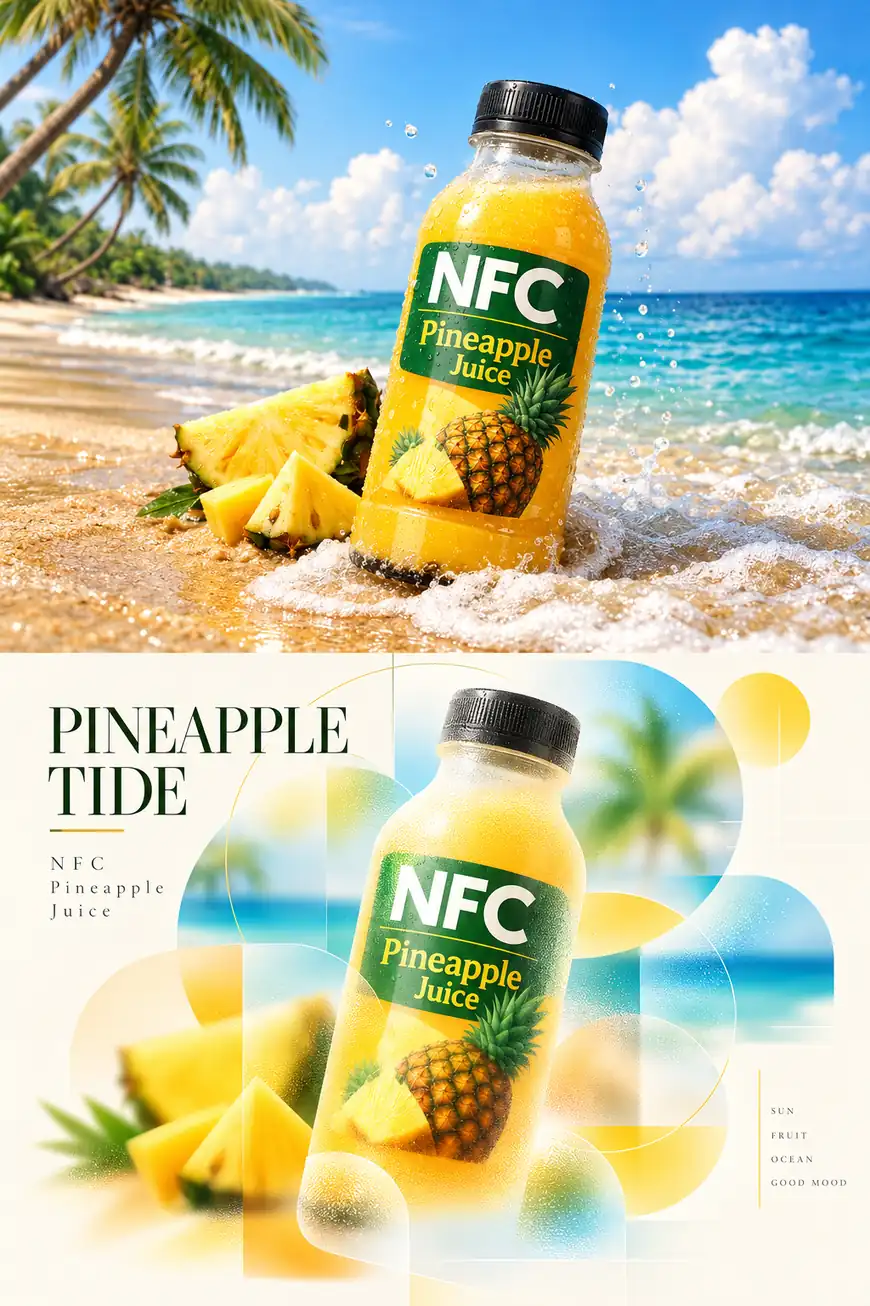
Sample: a Genvizu gallery piece run through this Skill's prompt, top-bottom layout, model-written English.
Every sample source image in this post comes from the Genvizu gallery, which is a good place to look for a starting picture.
Credit where it's due
The aesthetic at the heart of this Skill comes from XXD Panel 072, an open-source prompt project by nevertoday: https://github.com/nevertoday/xxd-panel-072. It was built as a CLI skill for command-line agents such as Codex and Claude Code, and the zoned frosted-glass blur, the bright, healing colour logic and the restrained editorial typography are all the author's careful work. What Genvizu adds is a home for the original aesthetic prompt inside a browser canvas, so you can use it with no installation and no setup, just a few clicks. Thank you to nevertoday for sharing it openly.
Try it on Genvizu
Pick a photo with a clear subject, choose a layout, and see what it looks like behind frosted glass — open the Genvizu infinite canvas