

AI YouTube Thumbnail Prompts: Enhance Readability with Conflict and a Single Subject
Learn to craft effective AI YouTube thumbnail prompts by focusing on a single conflict, a clear subject, and minimal text for maximum viewer engagement and clarity.
 Genvizu Team3 min read
Effective AI YouTube thumbnails should first allow viewers to understand the video's content within a second, rather than cramming in too many elements. Prompts should revolve around a story conflict, a main subject, and a reveal, then use expressions, lighting, and short text to emphasize key points.
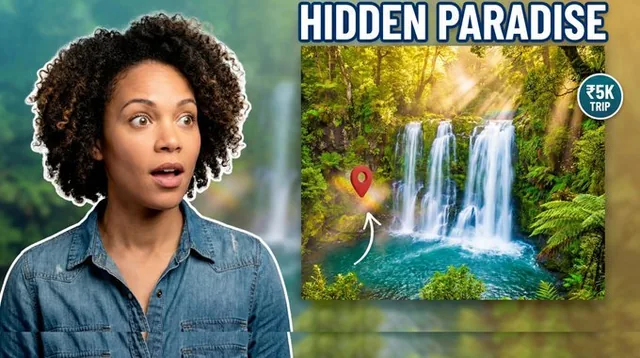
In this set of YouTube Thumbnail Design gallery examples, prompts separate character references, main objects, and optional props. They also constrain the main subject to 60%-70% of the frame, limit text to 2-5 words, and keep the background simple. This kind of constraint is more reusable than a generic "create a catchy cover."
First, Rephrase the Video Title into Visual Conflict
Thumbnails don't need to repeat the full title; instead, compress the content into a visible suspense.
For example, if the video title is "I Redesigned a Failed Product Page with AI," the visual conflict could be: a dark, old page on the left, a bright, new page on the right, with the creator in the middle looking at the transformation. The prompt starts with:
CORE CONFLICT: failed old design versus polished AI redesign
When there's only one core conflict, the model knows what should be prominent and what can be blurred. Multiple arrows, multiple expressions, and multiple result numbers will compete for attention.
Make the Subject Large and Separate from the Background
People or products are the recognition anchors of a thumbnail. You can explicitly request:
-
The subject occupies about two-thirds of the frame.
-
Use clean outlines, rim lighting, or soft shadows.
-
The background is darker, more blurred, with fewer details.
-
The subject's gaze or gesture points to the reveal.
YouTube's official thumbnail and title tips mentions the rule of thirds, legible fonts, color, and composition, while also warning against overly complex designs. The "large subject + simple background" in prompts translates these principles into language the model can execute.
Expressions Should Serve the Content, Don't Uniformly Use "Shocked Faces"
Expressions tell viewers how to interpret the image. Tutorials might use focus or confidence; challenge videos suit tension; result comparisons benefit from surprise; analytical content is better suited for doubt or thought.
More accurate than "strong emotion" is:
the creator looks at the failed result with a skeptical expression,
raised eyebrow, closed mouth, clear eye direction toward the object
Describing the direction of the eyes, mouth shape, and body orientation can reduce the model's generation of exaggerated expressions unrelated to the theme.
Text Should Only Supplement, Not Repeat the Title
Thumbnail text is best kept to 2-5 words, expressing only the result, time, or turning point, such as "24 Hours," "Fixed It," or "Cost Zero." Prompts should also specify:
-
Bold sans-serif font.
-
High-contrast fill color and clear outlines.
-
Located in a clean, negative space area.
-
No small subtitles.
-
Maintain a safe distance from people and products.
AI-generated text can be inaccurate. Obtaining the composition first and then manually replacing the final text is usually more efficient than repeatedly generating images. YouTube's official recommended custom thumbnail size is 1280 × 720, which is 16:9; specifying this ratio directly in the prompt can reduce secondary cropping.
Control Color Quantity and Visual Cues
Keep the image to 2-3 main colors. Brand colors handle recognition, bright accent colors point to results, and background colors provide support. Choose at most one visual indicator like an arrow, circle, or beam, and have it point to a single key detail.
Use this prompt skeleton:
16:9 YouTube thumbnail about [topic];
one dominant story: [core conflict];
[person or product] occupies 60-70% of frame;
[specific expression and gaze direction];
[single reveal object] with rim light;
one [arrow or circle] pointing to [key detail];
2-5 word hook in clean negative space;
2-3 brand colors, simple dark background, no clutter
After generation, don't just look at the large image. Shrink the thumbnail to the size of a mobile list and check if the subject, conflict, and text are still recognizable. After publishing, use YouTube Analytics to observe click-through rates on the homepage and in recommendations, rather than treating any single composition as a permanent formula.
Generate Your YouTube Thumbnail Prompt
Enter the video topic, target audience, and desired outcome. Use Genvizu AI Image Prompt Generator to organize thumbnail prompts with a clear subject, conflict, text, and color scheme.


