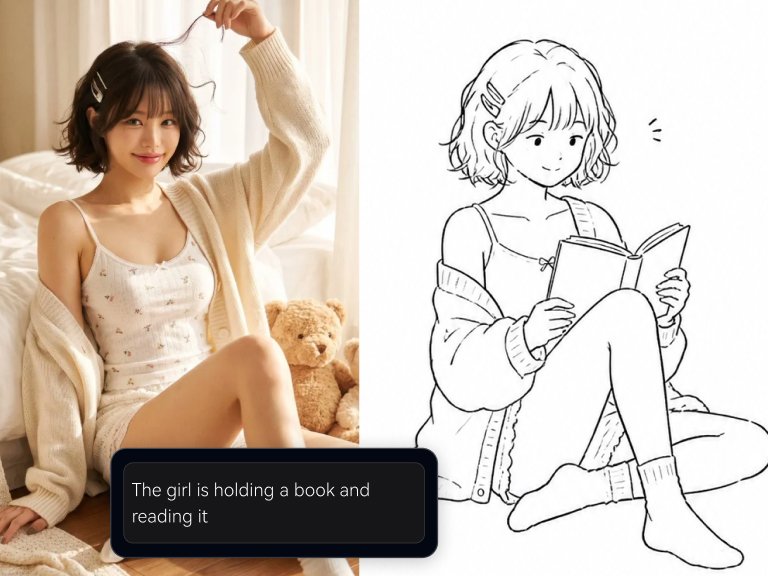
Gemini Omni Flash: Google's New Video Model Brings "Chat-to-Edit" to Video Creation
Explore Gemini Omni Flash, Google's latest AI video model, which revolutionizes video creation with its conversational editing capabilities. Learn how it enables iterative refinement through natural language, making video production more dynamic and efficient for creators.
 Genvizu Team4 min read
Gemini Omni Flash: Google's New Video Model Brings "Chat-to-Edit" to Video Creation
Google's latest video model, Gemini Omni Flash, is now on creators' radar. It's not just about "input a sentence to generate a video"; it's more like a multimodal video workbench that understands text, images, video, and audio: generate first, then refine with natural language.
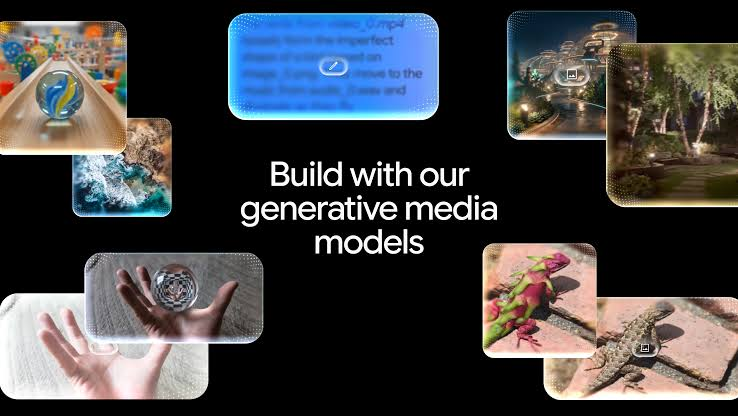
For AI creators, the most exciting aspect of Gemini Omni Flash is its advancement of video generation from a "one-time lottery draw" to "continuous creation." You can start by generating a video from a text prompt, or use an image or short video as a reference, and then fine-tune the camera angles, actions, style, sound, and pacing through conversation.
What is Gemini Omni Flash?
According to Google AI Developers documentation, Gemini Omni Flash is currently in Preview, with the model code gemini-omni-flash-preview. It's positioned as a high-speed, conversational video generation and editing model that supports:
-
Text-to-Video: Generate videos with audio from text descriptions;
-
Image-to-Video: Turn images into dynamic motion graphics;
-
Video Editing: Continue modifying existing videos;
-
Natural Language Iteration: Edit videos like chatting via the Interactions API;
-
Multimodal Understanding: Process text, image, audio, and video references simultaneously.
The official model page indicates it supports text, image, and video inputs, with video editing inputs up to approximately 10 seconds long; output videos are 3–10 seconds, 720p, 24 FPS. This means it's better suited for short video clips, ad snippets, product animations, social media assets, and creative storyboards, rather than generating feature-length films in one go.
Why is it Important for Creators?
A common issue with many previous AI video models was unstable initial generation and high costs for subsequent modifications. Wanting a character to look at the camera longer, changing the background to night, adding music, or removing an object often required rewriting prompts, re-generating, and hoping for a better result.
The core innovation of Gemini Omni Flash is "Conversational Editing."
You can make modifications like this:
Change this video to a cyberpunk style, keeping the character's actions the same. Make the camera work feel more like handheld footage, with more dramatic lighting. Change the text on the sign to "Omni Flash," keeping everything else the same. Add upbeat electronic background music, without character dialogue.
This is highly practical for designers, marketers, short-form video creators, and product teams. It lowers the barrier not for "generating video," but for repeatedly refining video.
Suitable for Which Creative Scenarios?
Gemini Omni Flash is more suitable for the following high-frequency workflows:
Social Media Shorts
• Use Case: Quickly generate 3–10 second visual hooks
Product Ads
• Use Case: Generate dynamic product showcase shots from images
Brand Visuals
• Use Case: Generate assets with a consistent tone, maintaining reference style
Video Remixing
• Use Case: Change style, action, or environment based on existing short videos
Storyboard Prototyping
• Use Case: Quickly explore camera language before deciding on final refinement
Audio-Visual Experiments
• Use Case: Specify music, sound, and pacing changes with text
Especially the combination of "reference image + video prompt" will become the mainstream approach for AI video creation: first define the character, product, or style, then have the model generate motion, camera work, and sound.
How to Write Gemini Omni Flash Prompts?
When writing Gemini Omni Flash prompts, don't just say "generate a cool video." A better structure is to break down the scene, camera work, action, sound, and constraints:
Subject: A silver mechanical butterfly
Scene: A glass greenhouse at night
Action: Taking off from a flower petal, wings reflecting neon lights
Camera: Single continuous shot, slow push-in
Lighting: Cool tones, soft volumetric light
Sound: Subtle mechanical whirring, distant rain sounds
Constraints: No dialogue, no cuts, maintain realistic cinematic quality
If you want to edit, the prompt should be shorter and more specific:
Change the background to a twilight beach, keeping the character's actions and composition the same.
Or:
Remove the phone from the frame, keeping everything else the same.
For video models, specificity is key, but avoid over-describing during editing, as the model might inadvertently change parts you intended to keep.
Genvizu is Also Preparing to Integrate Gemini Omni Flash
Genvizu has always focused on the AI image and video creation pipeline: from prompt generation, image-to-prompt, to unified workflows for image and video models. As Gemini Omni Flash enters Preview, Genvizu is preparing to integrate this model, allowing creators to generate and iterate on videos within a more familiar creative interface.
After integration, the ideal usage workflow would be:
-
Organize video prompts within Genvizu;
-
Select reference images, product shots, or existing short videos;
-
Generate short videos using Gemini Omni Flash;
-
Continue remixing through natural language;
-
Save excellent prompts and results to form reusable video templates.
This will further evolve Genvizu from an "AI image and prompt tool" into a comprehensive creation platform for "images + video + remixing."
Conclusion
The key to Gemini Omni Flash isn't just generating video, but making video creation more conversational: generate a version, then iteratively adjust camera angles, actions, style, and sound.
For creators, it's suitable for rapid prototyping, short video assets, product animations, and visual experiments. For Genvizu, integrating Gemini Omni Flash also means further enhancing the platform's video creation capabilities: from prompt to final output, from images to video, from single generation to continuous iteration. Google's video models are getting faster, and what creators truly need is a place to organize these capabilities into a workflow.