Genvizu Infinite Canvas: Unfolding Complex Creative Workflows
Discover how Genvizu's Infinite Canvas transforms AI image and video creation by providing a visual workspace for prompts, references, results, and next steps, streamlining complex workflows.
 Genvizu Team3 min read
Genvizu AI Infinite Canvas: A Space for Complex Creative Workflows
The AI Infinite Canvas goes beyond simply enlarging standard generators; it keeps prompts, reference materials, generated results, and subsequent actions within a single visual context. Real-world AI design rarely completes in one go. Finding inspiration, refining prompts, generating images, making local adjustments, zooming, changing angles, extracting frames, creating videos, and extending image sets all lead to branching and converging workflows.
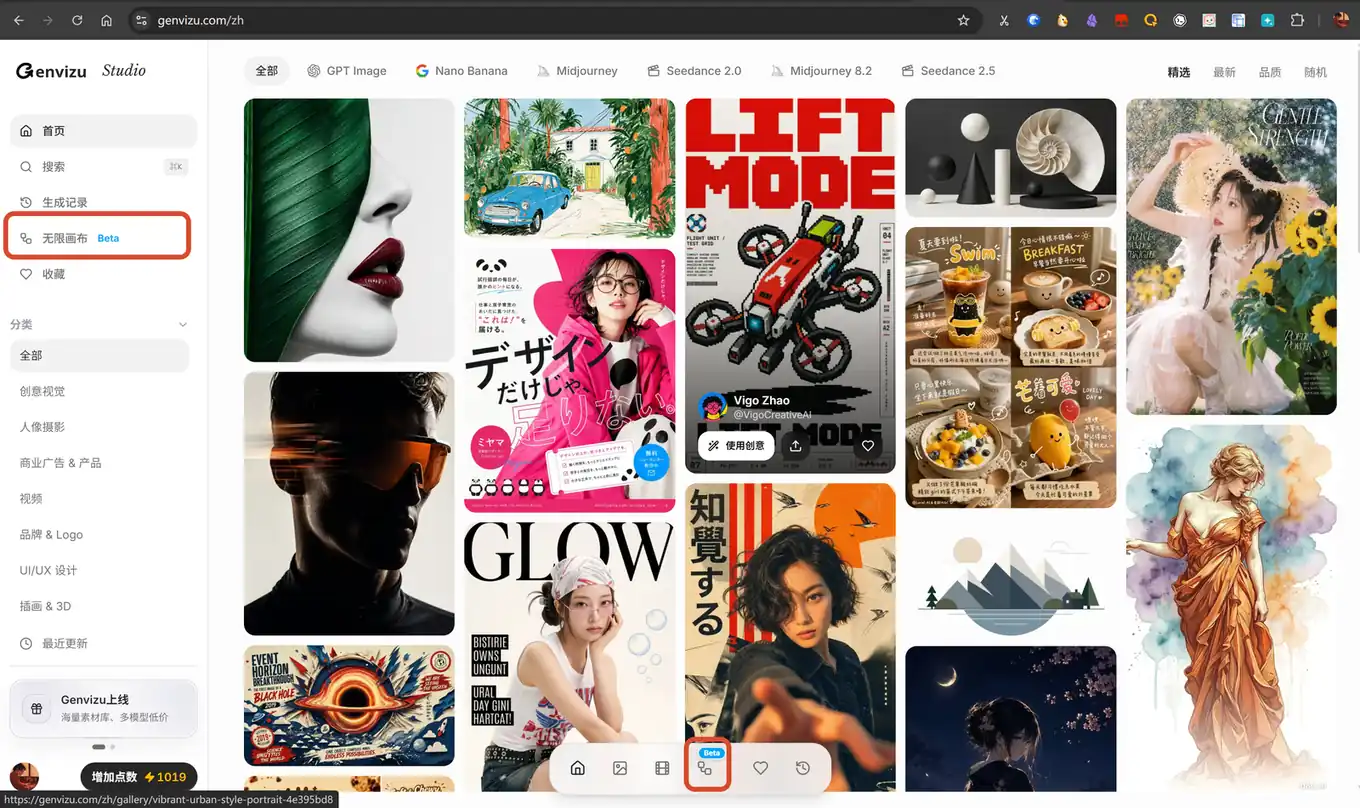
This is why Genvizu created the Infinite Canvas: to provide ample space for complex workflows while keeping operations linear and intuitive, preventing creators from getting lost in an incomprehensible flowchart.
Why Does AI Creation Need an Infinite Canvas?
Dialog boxes are suitable for quick requests but struggle to simultaneously display materials, versions, relationships, and context. When a single creative process involves multiple reference images, candidate results, and different future directions, crucial information can easily get buried in chat history.
An increasing number of creative tools are adopting visual workspaces. Adobe positions Firefly Boards as an infinite canvas for organizing inspiration, references, and generated assets; Magnific Spaces connects generation, editing, and collaboration steps through nodes. Both point to the same shift: AI generation is moving from single results towards visible, extendable creative processes.
Genvizu's focus isn't on increasing the number of nodes but on enabling users to more naturally answer two questions: What is currently selected, and what do I want to do next?
What Workflows Can One Canvas Accommodate?
Video Generation: Keeping Assets, Prompts, and Versions Together
Video creation typically requires multiple rounds of preparation. Reference images, storyboard directions, start/end frames, and different generation versions can be kept on the same canvas, eliminating the need for creators to constantly transfer context between multiple pages.
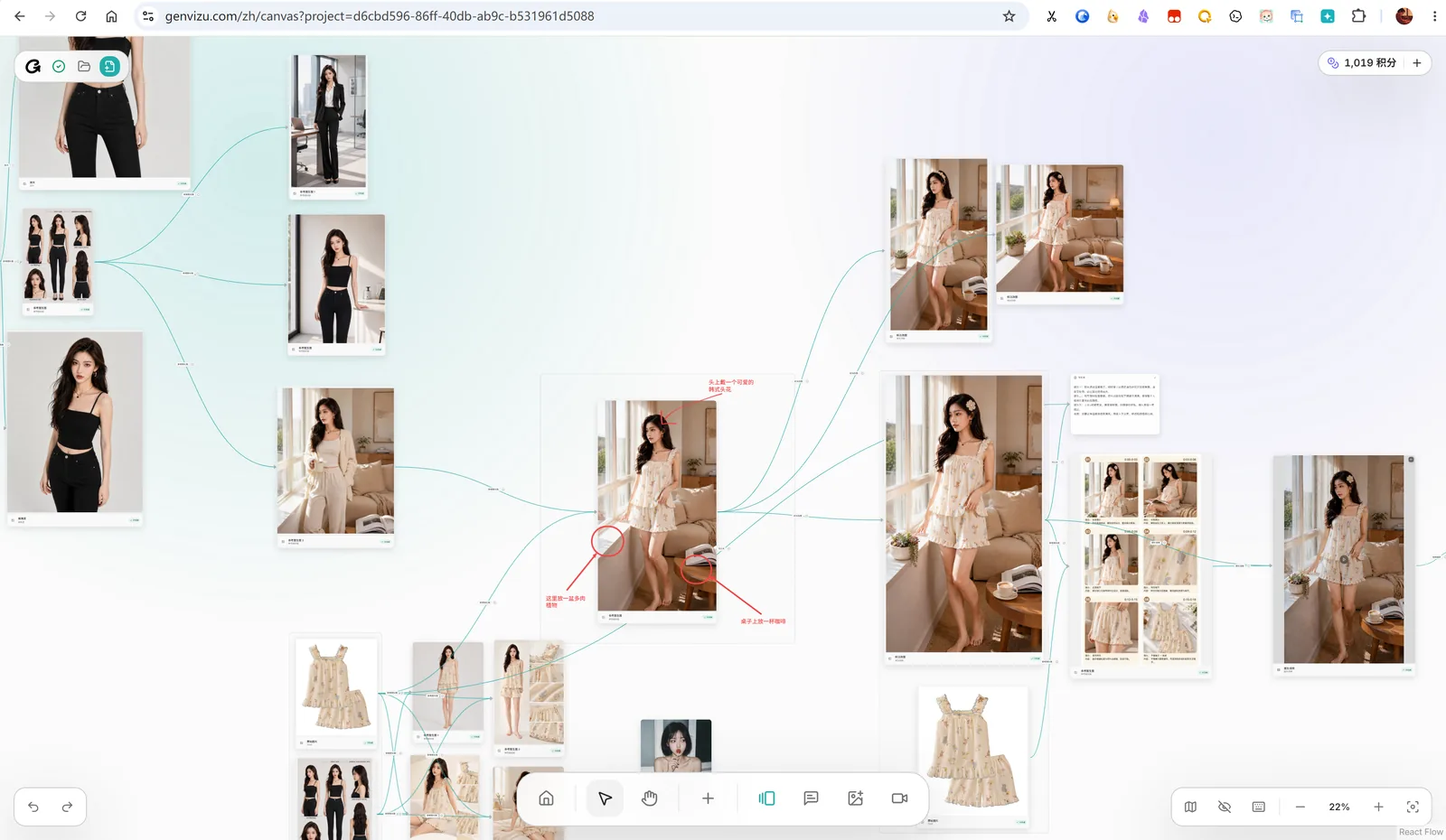
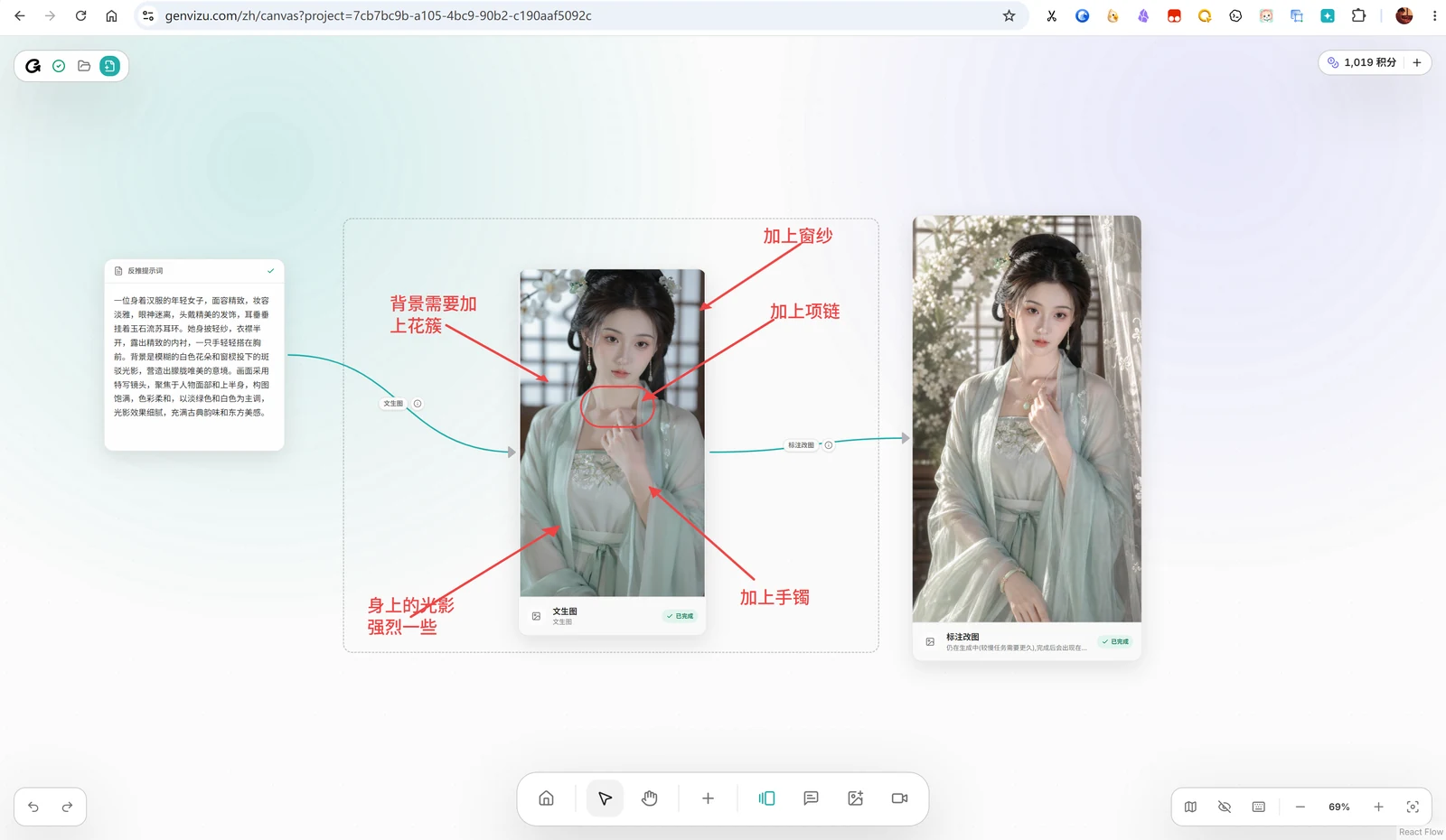
Image Editing: Directly Indicating Areas for Modification
Basic image editing also benefits from visual operations. Continuing to zoom, crop, change angles, or edit after selecting an image is more intuitive for designers than repeatedly describing "the top-left area."
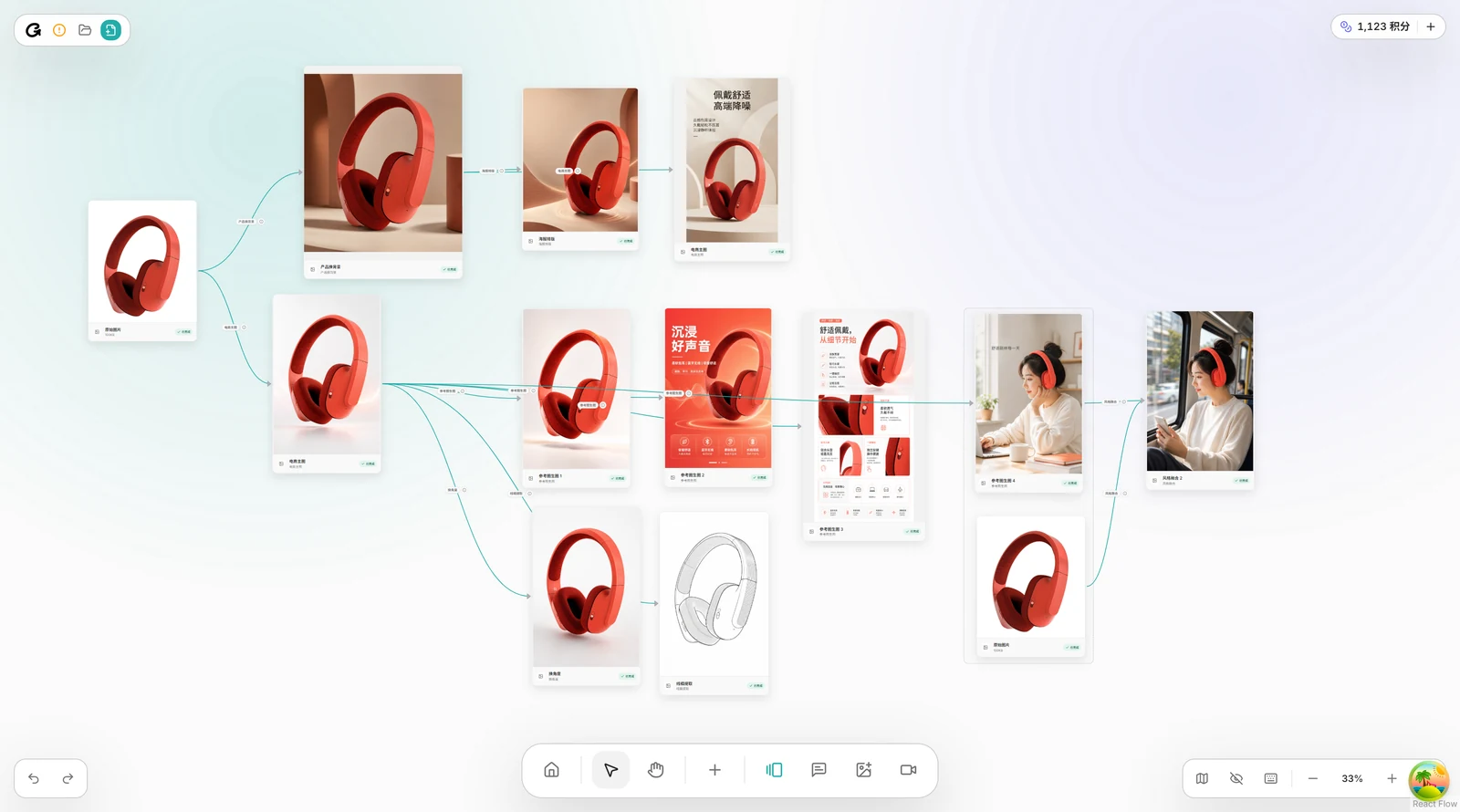
E-commerce Set Generation: Extending Creativity Around a Single Product
E-commerce visuals often involve more than just a main product image. Around a single product, you can generate selling point images, detail shots, lifestyle images, and different creative variations. Keeping reference relationships on the canvas helps maintain product and style consistency.
Why Not Put Everything in a Chatbox?
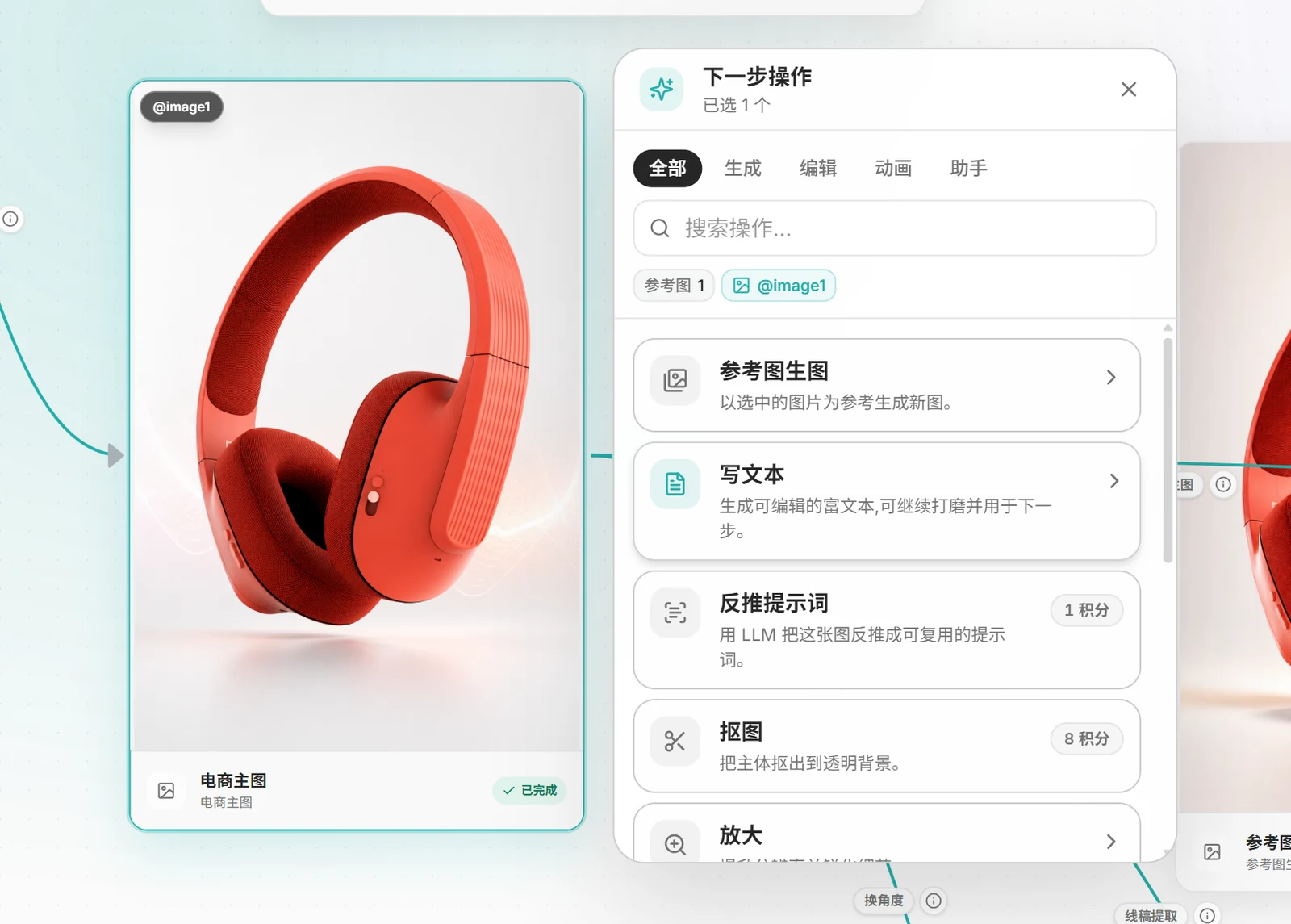
Tools should adapt to user scenarios, not force users to conform to a single interaction mode. Designers need to see their materials and results and quickly decide on the next steps. Therefore, Genvizu consolidates many capabilities into a "+" icon on the canvas.
This plus icon simultaneously represents the user's next intention and the system's recommended actions based on the current selection. Tools like text-to-image, image-to-image, upscaling, inverse prompting, angle adjustment, cropping, and video frame extraction can all be initiated from the current content.
Feature Tools Closer to Design Intuition
Angle Adjustment: Controlling Perspective with Parameters
Changing angles doesn't require rewriting lengthy photography prompts each time. Through more intuitive perspective parameters, users can explore new viewing directions around an existing subject and then integrate satisfactory results into subsequent workflows.
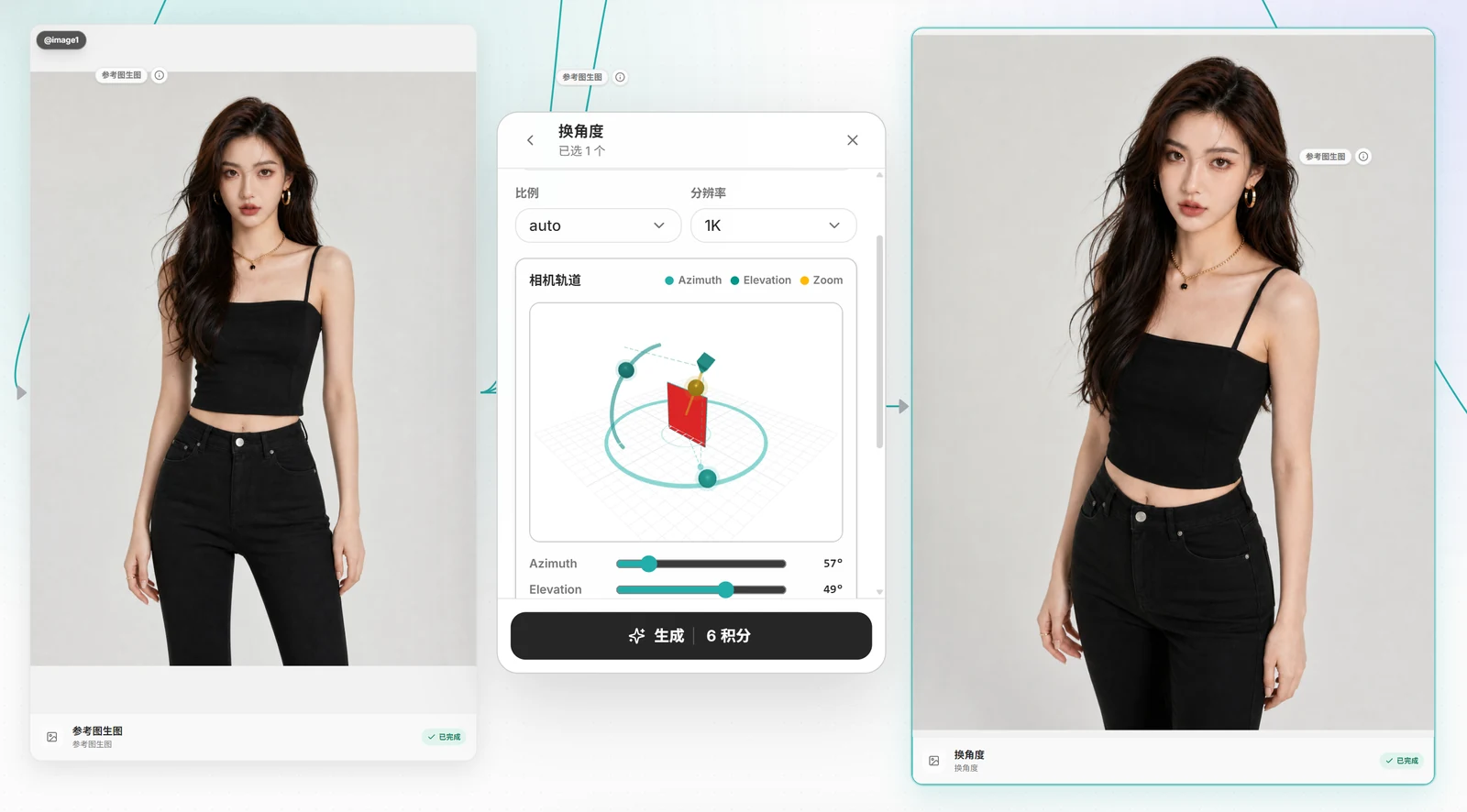
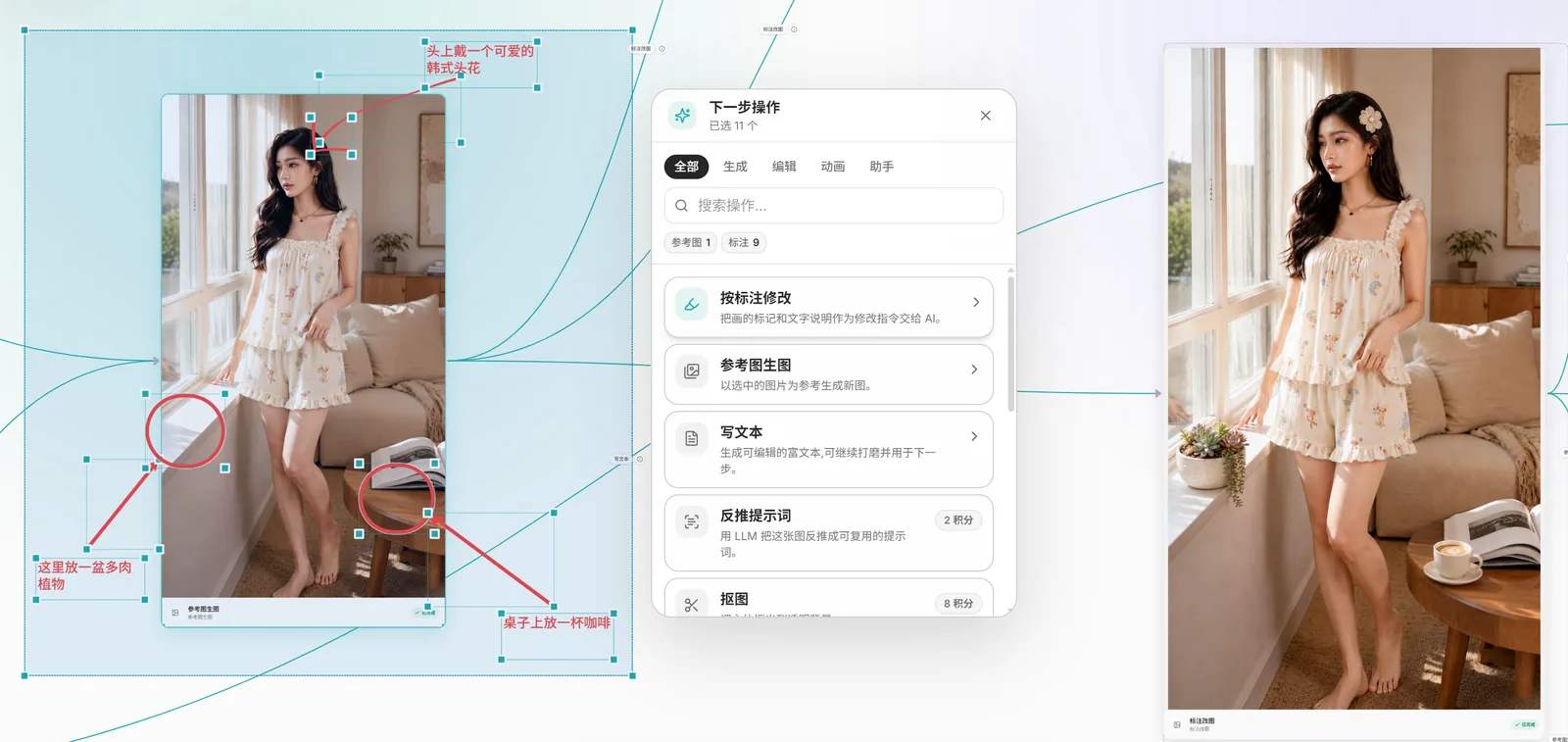
Annotation Editing: Marking Exactly Where to Modify
Many design issues aren't about "inability to explain" but the need to "show the AI." Annotation editing allows users to directly circle areas on the image and write modification requests, making both location and intent part of the context, reducing ambiguity from purely text-based descriptions.
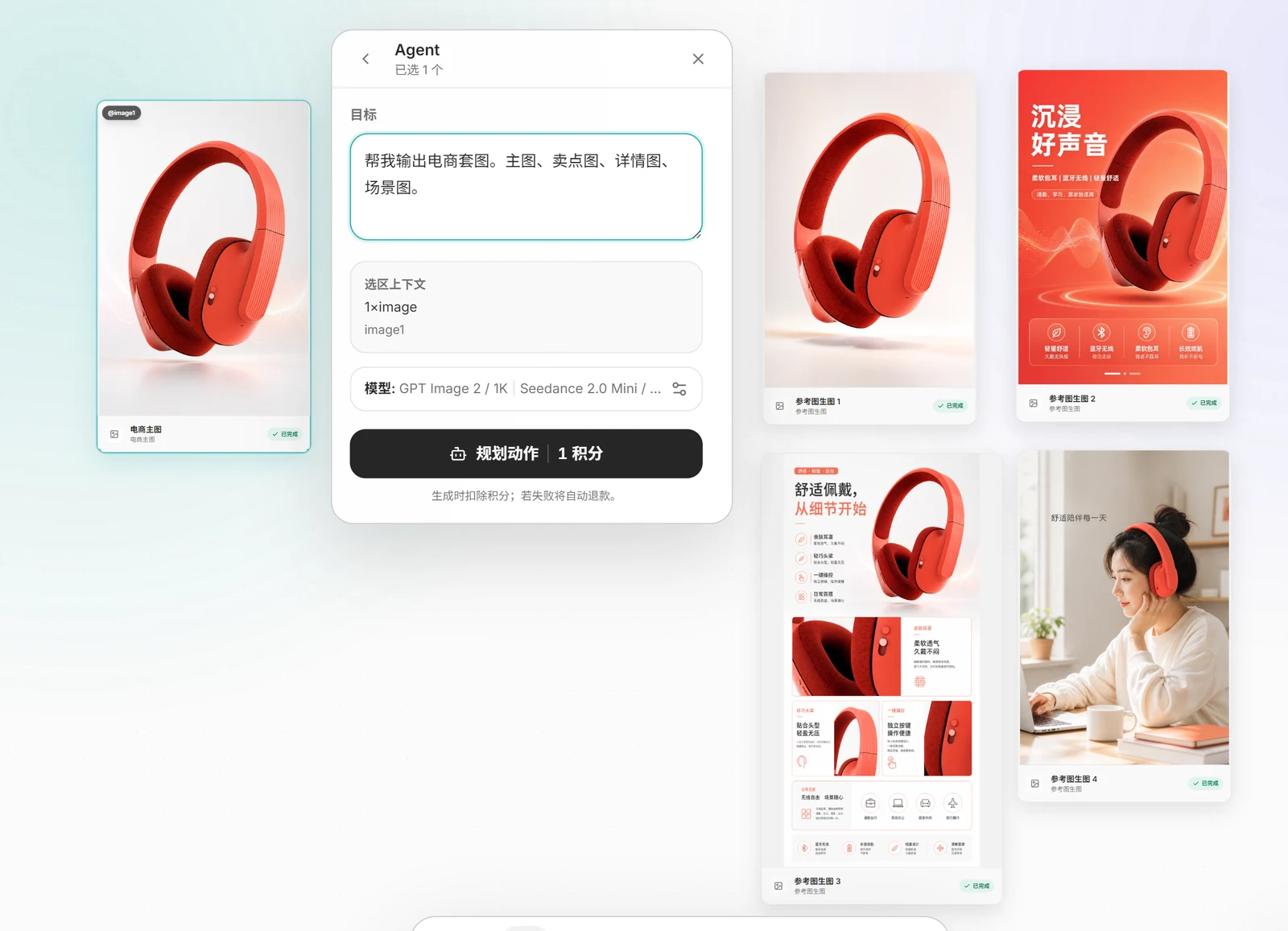
Agents and Skills: Open Exploration and Stable Production
Agents are suitable for tasks with clear goals and open paths. After the user inputs a request and selects reference materials, the Agent plans and then organizes subsequent image generation. For example, a single sentence requesting an e-commerce set can prompt the system to break down directions for the main image, selling point images, detail images, and scene images.
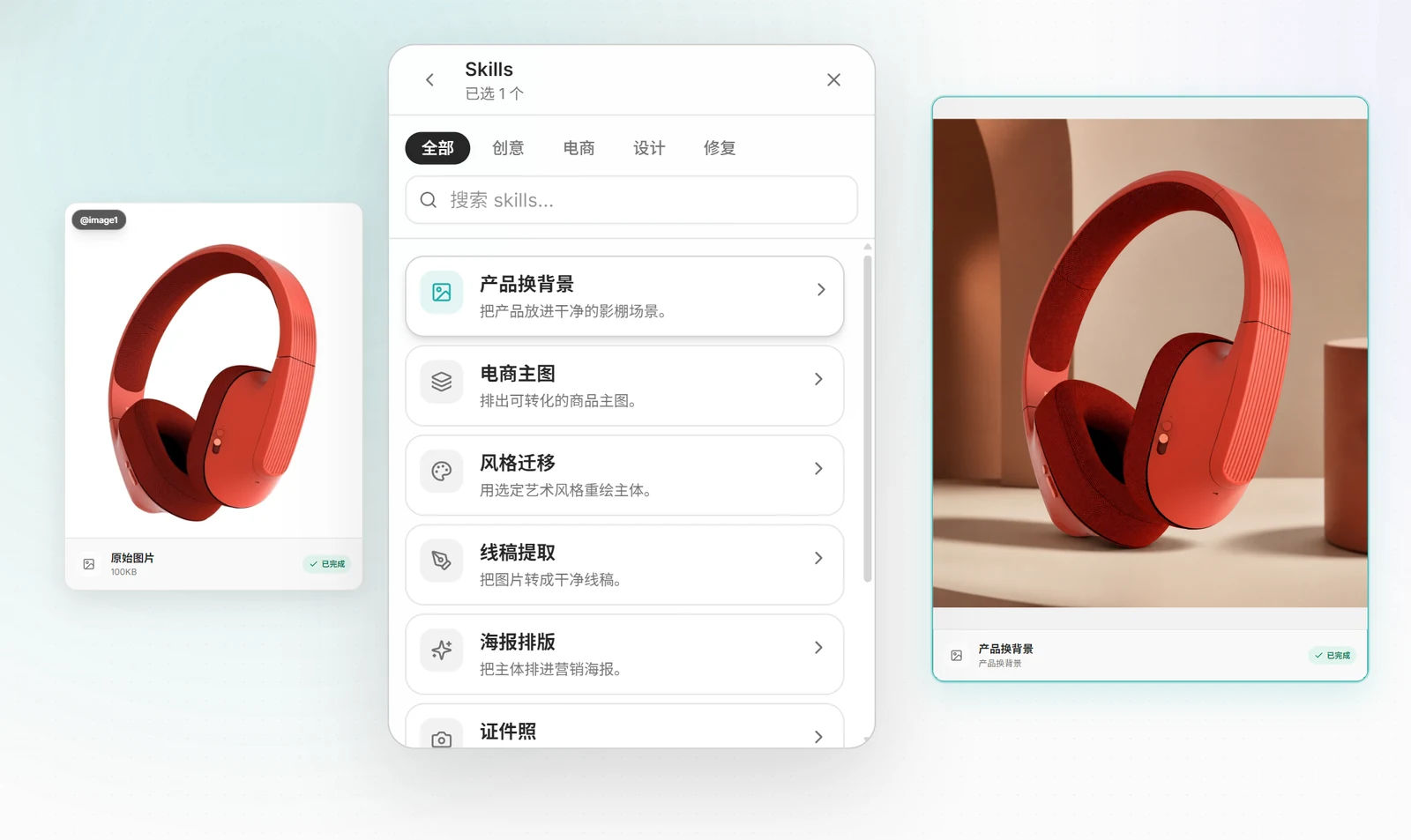
Skills are designed for more fixed, high-frequency scenarios. They encapsulate validated design processes, input requirements, parameters, and output formats, reducing the cost of explaining rules from scratch each time. Initial inspiration generation can be handled by Agents for exploration, while stable, reusable production methods are suitable for being solidified as Skills.
Unfold Your AI Creative Workflow in Genvizu
Whether you're creating videos, e-commerce sets, or continuously editing and extending an image, you can start with a single asset and keep each choice and result within the same context. We recommend using a desktop browser to open Genvizu AI Infinite Canvas, select the next action from the "+" icon, and let your complex workflow unfold naturally.